I managed to get Aero snap left and right working in metacity Ubuntu 14.10 and now I would like to come up with the correct winctrl commands so that I can mimic the same effect on a two screen setup, where the two screens are placed horizontally next to each other as in the image below. I want this to work on Metacity (GNOME classic), I am not willing to move to other window managers at all, since I know some of them have these capabilities built-in already. So this is a question to try and find an answer for the Metacity GNOME classic environment specifically:
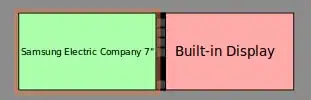
What I want is to extend my current winctrl commands. They currently work by using up half the total width of the screen either left or right of the total screen length. Typing Super_L+left will make the active window use the left half, and typing Super_L+right will make the active window use the right half size of the total horizontal pixels.
[hpenvy15 ~] $ cat > ~/bin/left.sh
#!/bin/bash
sleep 0.1 && wmctrl -r :ACTIVE: -b remove,maximized_vert,maximized_horz && wmctrl -r :ACTIVE: -e 0,0,0,`xwininfo -root | grep Width | awk '{ print (($2/2))}'`,`xwininfo -root | grep Height | awk '{ print $2 }'`
^C
[hpenvy15 ~] $ cat > ~/bin/right.sh
#!/bin/bash
sleep 0.1 && wmctrl -r :ACTIVE: -b remove,maximized_vert,maximized_horz && wmctrl -r :ACTIVE: -e 0,`xwininfo -root | grep Width | awk '{ print (($2/2)+5) ",0," (($2/2)) }'`,`xwininfo -root | grep Height | awk '{ print $2 }'`
^C
In the new setup with two screens, I have 1920+1920 pixels wide. The ideal width of a window is half of 1920, this is 1920/2=960. I would like for the new left and right commands to calculate where is the window currently found, then if left is typed, to go to the nearest 960-wide pixels block, in any of the 4 blocks present in the two screen, 1920+1920 configuration, but also work to the nearest 960-wide block in the one screen 1920 configuration. A diagram is shown below:
This is the configuration when I have the external screen in 1 and 2,
and the laptop screen in 3 and 4. Currently, clicking Super_L+left
would move the window to the TotalWidth/2 left half of the screen,
which would be too big, going to 1+2.
I would want the first left command to move it to pane 3, then the
next left command to move it to 2, then the next one to move it to
1.
   +-------------------++-------------------++-------------------++-------------------+
   |                   ||                   ||                   || +------------+    |
   |                   ||                   ||                   || |            |    |
   |                   ||                   ||           <-------++-+            |    |
   |                   ||                   ||                   || |            |    |
   |         1         ||         2         ||         3         || |       4    |    |
   |                   ||                   ||                   || |            |    |
   |                   ||                   ||                   || +------------+    |
   |                   ||                   ||                   ||                   |
   |                   ||                   ||                   ||                   |
   +-------------------++-------------------++-------------------++-------------------+
This is the configuration when I have only the laptop screen in two halves of 960 pixels wide.
Currently, clicking Super_L+right would move the window to the
TotalWidth/2 right half of the screen, which corresponds to number 4.
   +-------------------++-------------------+
   | +------------+    ||                   |
   | |            |    ||                   |
   | |            |    ||                   |
   | |            |----++--->               |
   | |       3    |    ||         4         |
   | |            |    ||                   |
   | |            |    ||                   |
   | +------------+    ||                   |
   |                   ||                   |
   +-------------------++-------------------+
This is the output of wmctrl when the two screens are on:
wmctrl -d
0  * DG: 3840x1080  VP: 0,0  WA: 0,0 3840x1080  Workspace 1
1  - DG: 3840x1080  VP: N/A  WA: 0,0 3840x1080  Workspace 2
2  - DG: 3840x1080  VP: N/A  WA: 0,0 3840x1080  Workspace 3
3  - DG: 3840x1080  VP: N/A  WA: 0,0 3840x1080  Workspace 4
And this is the output of xrandr also when the two screens are on:
[hpenvy15 ~] $ xrandr
Screen 0: minimum 8 x 8, current 3840 x 1080, maximum 32767 x 32767
eDP1 connected primary 1920x1080+1920+0 (normal left inverted right x axis y axis) 344mm x 193mm
   1920x1080      60.1*+   59.9     40.0
   1680x1050      60.0     59.9
   1600x1024      60.2
   1400x1050      60.0
   1280x1024      60.0
   1440x900       59.9
   1280x960       60.0
   1360x768       59.8     60.0
   1152x864       60.0
   1024x768       60.0
   800x600        60.3     56.2
   640x480        59.9
VGA1 disconnected (normal left inverted right x axis y axis)
HDMI1 connected 1920x1080+0+0 (normal left inverted right x axis y axis) 521mm x 293mm
   1920x1080      60.0*+   50.0     59.9     30.0     25.0     24.0     30.0     24.0
   1920x1080i     60.1     50.0     60.0
   1680x1050      59.9
   1600x900       60.0
   1280x1024      75.0     60.0
   1440x900       59.9
   1366x768       59.8
   1280x800       59.9
   1152x864       75.0
   1280x720       60.0     50.0     59.9
   1440x576i      50.1
   1024x768       75.1     70.1     60.0
   1440x480i      60.1     60.1
   832x624        74.6
   800x600        72.2     75.0     60.3
   720x576        50.0
   720x480        60.0     59.9
   640x480        75.0     72.8     66.7     60.0     59.9
   720x400        70.1
VIRTUAL1 disconnected (normal left inverted right x axis y axis)