Before I begin.
Stay away from VLC whatever VLC since I'm an avid reader and writer and I've read a lot about it. Even VLC says that they're not the best player out there and when comes to problems and they've posted a lot saying that they are trying to make the most compatible player possible. So it's not the best. You can argue.
1st possibility -
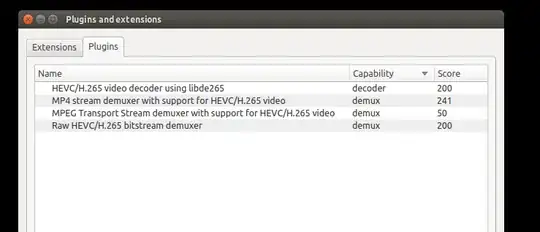
During the same problems as yours. I've changed to DivX player because I discovered DivX uses a different plugin and the video was DivX made and every different player use his own plugins for HEVC and libde265.
2nd possibility -
Hardware compatibility. Try another computer instead and with recent graphic adapters like NVIDIA or AMD.
3rd possibility -
Play the video on Linux if you're using Windows and vice versa if you're using Linux.
I'd easily resolved the same problems as yours years ago like green screens, lines on the screen, video playing with lags, and videos not playing at all. All by using those methods above.
Hope it helps!
Edit: Changing to a recent graphics adapter that may or not resolve your problem same as trying to play HVEC on Android devices. Because of a lot of hardware compatibility issues, developers are trying to make it possible!

media info: BPS : 127857 _STATISTICS_TAGS : BPS DURATION NUMBER_OF_FRAMES NUMBER_OF_BYTES _STATISTICS_WRITING_APP : mkvmerge v7.8.0 ('River Man') 64bit built on Mar 27 2015 16:31:37 Codec: MPEG-H Part2/HEVC (H.265) (hevc) Resolution: 720x288 Display resolution: 720x288 Decoded format: Planar 4:2:0 YUV
– Sandeep Jul 25 '15 at 19:42