0

On Lununtu 15.04 I installed synapse via PPA:

sudo apt-get install python-software-properties
sudo add-apt-repository ppa:synapse-core/testing
sudo apt-get update
sudo apt-get install synapse
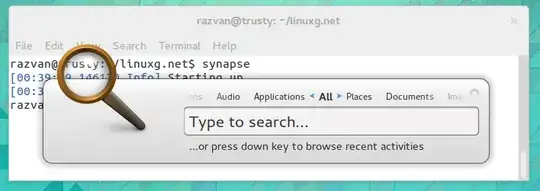
enter image description here

Source: http://linuxg.net/how-to-install-synapse-0-2-99-on-ubuntu-15-04-ubuntu-14-10-ubuntu-14-04-and-derivatives/

It seems to run, but it crashes the moment I enter any letter into the window.

How can I make this run or is there an alternative on Lubuntu with lxde?

rubo77
  • 34,212
  • 1
    Try a stable release from ppa:synapse-core/ppa and remove the testing PPA. (Most easily done by replacing the PPA path in /etc/apt/sources.list or a file in sources.list.d, followed by apt-get update) – s3lph May 16 '15 at 22:39

2 Answers2

0

Maybe it would suffice to start the execute-command from your menu with

Alt F1

rubo77
  • 34,212
0

I had to remove synapse with

sudo apt-get remove --purge synapse
sudo rm /etc/apt/sources.list.d/synapse-core*

and add the non-testing ppa:

sudo apt-get install python-software-properties
sudo add-apt-repository ppa:synapse-core/ppa

as long as synapse is not in the repository for vivid, I need to replace vivid with trusty:

sudo su
sed s/vivid/trusty/g /etc/apt/sources.list.d/synapse-core-ubuntu-ppa-vivid.list > /etc/apt/sources.list.d/synapse-core-ubuntu-ppa-trusty.list
rm /etc/apt/sources.list.d/synapse-core-ubuntu-ppa-vivid.list

and reinstall synapse:

sudo apt-get update
sudo apt-get install synapse
rubo77
  • 34,212