I downloaded Android Studio from the official website, started the installer with the terminal (studio.sh) it installed completely, wrote some lines of code, closed Android Studio, now I don't know how I can open it again. the studio.sh just starts the setup wizard again and I also can't find the directory where it could be installed in.
So where are the installed programs at and how can I run them?
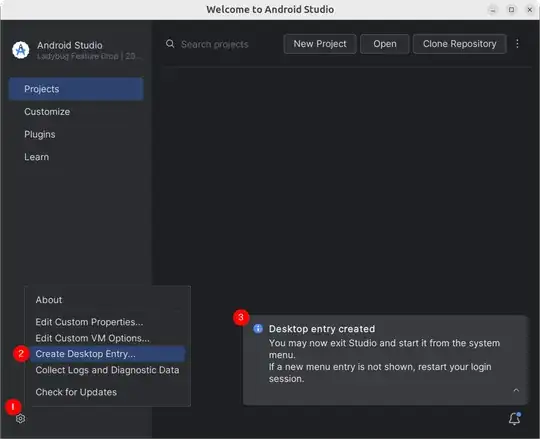

Create Desktop Entry...menu option is under theToolsmenu option. There is noConfigureoption. – snark Sep 25 '16 at 11:01