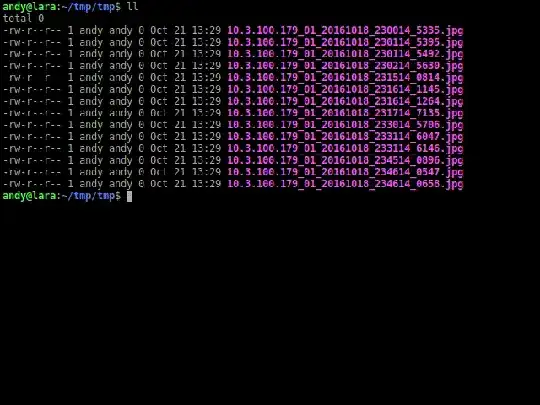
I have a number of files:
10.3.100.179_01_20161018_230014_5335.jpg
10.3.100.179_01_20161018_231514_0814.jpg
10.3.100.179_01_20161018_233014_5706.jpg
10.3.100.179_01_20161018_234514_0896.jpg
10.3.100.179_01_20161018_230114_5395.jpg
10.3.100.179_01_20161018_231614_1145.jpg
10.3.100.179_01_20161018_233114_6047.jpg
10.3.100.179_01_20161018_234614_0547.jpg
10.3.100.179_01_20161018_230114_5492.jpg
10.3.100.179_01_20161018_231614_1264.jpg
10.3.100.179_01_20161018_233114_6146.jpg
10.3.100.179_01_20161018_234614_0658.jpg
10.3.100.179_01_20161018_230214_5630.jpg
10.3.100.179_01_20161018_231714_7135.jpg
I want to rename with this format:
10.4.100.135_01_20161013131108389_TIMING.jpg
10.4.100.135_01_20161013131111390_TIMING.jpg
10.4.100.135_01_20161013131114401_TIMING.jpg
10.4.100.135_01_20161013131117431_TIMING.jpg
10.4.100.135_01_20161013131120418_TIMING.jpg
10.4.100.135_01_20161013131123461_TIMING.jpg
10.4.100.135_01_20161013131126511_TIMING.jpg
It needs to remove the _ in timestamp and add the _TIMING.
10.3.100.179with10.4.100.135. Is that what you want or do you just want to remove the_TIMINGand the_from the time? – terdon Oct 21 '16 at 09:0310.4.100.135_01_2016-10-13T13:11:08.389_TIMING.jpg(and "TIMING" could then even be removed, as it now looks clearly like a date and hour (and milliseconds), especially when the standard becomes more widespread. The T is part of the standard and I grew up to like it (and taking it out breaks the standard ^^) – Olivier Dulac Oct 21 '16 at 11:01:in a filename. I believe Windows doesn't support it. – Justin Aug 17 '18 at 18:35