9

I use Lubuntu, which I believe does not use pulse-audio, or uses a container for that, I do not know, but it seems to use alsa well.

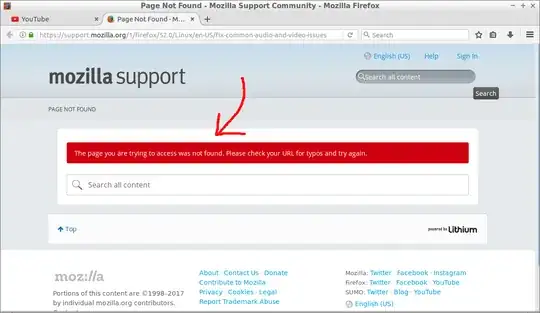
Since I upgrade to Firefox 52, which does not accept plugins anymore, the sound stopped working, and it shows a tip to fix that, but when I click on it, the site does not exist anymore.

How can I fix the sound on Firefox 52 without replacing alsa?
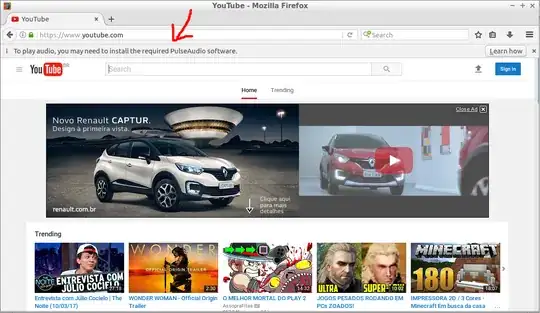
youtobe requires sound

tip do not exists

Zanna
  • 72,471

2 Answers2

4

Firefox 52 comes built-in with pulseaudio as default sound output.

So on a system with alsa only, sound is broken on firefox 52.

You can either rebuild firefox 52 with alsa using --disable-pulseaudio --enable-alsa as compile option switches.

Or install pulseaudio if you dare!

Zanna
  • 72,471
solsTiCe
  • 9,565
  • AFAIK Lubuntu does use pulseaudio. Since there's no point of using ALSA in 2017 anyway, just do sudo apt install pulseaudio pavucontrol. – diamondburned Mar 12 '17 at 13:21
  • @dat-tutbrus maybe, sometimes appears PULSE*.log files on my home, I always delete these files. – Tiago Pimenta Mar 12 '17 at 14:28
  • dpkg --get-selections |grep pulse gives me libpulse-mainloop-glib0:amd64 and libpulse0:amd64 only. – Tiago Pimenta Mar 13 '17 at 00:11
  • I will try it in a VM, that is why I didn't answer yet, but even one of these solutions work, they are not what I expected. – Tiago Pimenta Mar 13 '17 at 08:11
  • The sound worked on qemu with pulseaudio installed, although I was not what I wanted to do, I am trying to rebuild firefox with alsa, but I cannot get it working, I will wait for Firefox working with alsa. – Tiago Pimenta Mar 19 '17 at 13:15
0

Try using Firefox ESR (Extended Support Release). It still supports plugins.

See https://www.mozilla.org/en-US/firefox/organizations/ for more information.

See https://www.mozilla.org/en-US/firefox/organizations/all/ for downloads.

heynnema
  • 73,937