Nick's post was a real help in leading me this this solution:
xrandr --newmode "3840x2160x60.00"  533.250000  3840 3888 3920 4000  2160 2163 2167 2222  +HSync -VSync
xrandr --addmode DP-1 "3840x2160x60.00"
xrandr --output DP-1 --mode 3840x2160x60.00
This 7i5 NUC now displays UHD on a Samsung TV (UN40MU6300).
Four+ hours I've spent figuring this out. Above working Modeline was finally found via the Universal Modeline Calculator in 'Reduced Blanking Timing' mode. I don't know the disadvantage, but it's now 60HZ and crystal clear. Ubuntu and the TV's 'info mode' both show 3840x2160/60Hz.
umc.exe 3840 2160 60 -rbt
Also 7th Gen NUC HDMI 2.0 firmware must be upgraded to an April 2018+ release (Sorry but the update tool only runs on Win10). Get a certified HDMI 2 cable too (trying an old cable just now made the image snowy).
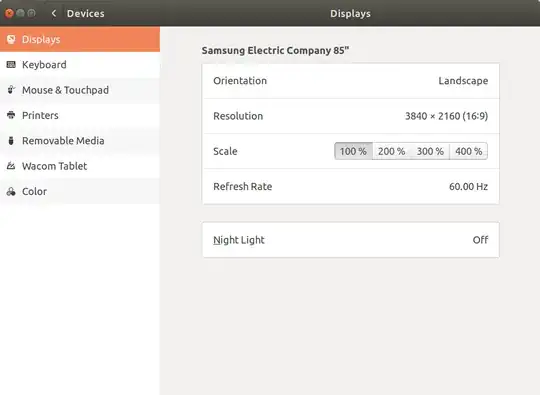
Root cause is almost certainly Intel's on-chip Iris Plus Graphics 650 having a relatively low max pixel rate (533Mhz is in the working modeline, but cvt wanted 712Mhz)

Twisted Veins hdmi cable brand appears to be the best of all I tried. Root cause is likely the hardware/ firmware though. Also this Samsung UHD TV has known incompatibility issues.
Also at some point I'll try to find how Win10 does 4K with my screen as it's flawless. PowerStrip in Win10 does not show that actual settings, but there must be some way to discover the settings.
– Paul Lockwood Jun 11 '18 at 14:46