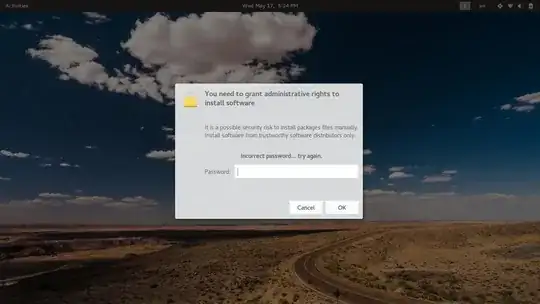
I was trying to install a .deb file in Ubuntu 17.10 using gdebi but the password field is disabled.
Also cannot open using gksudo the same password prompt which I cannot type the password.
if you upgraded to ubuntu 18.04, do this:
create this file /usr/local/bin/gdebi-gtk-pkexec
with this contents:
#!/bin/sh
pkexec "/usr/bin/gdebi-gtk" "$@"
right click on a .deb file, show properties, set default open with to /usr/local/bin/gdebi-gtk-pkexec
There might be a problem with gksudo or even your theme; From what I can see in your screenshot you are getting "Incorrect password" message, remember that you should enter your own user's password not the root, both the gksu and gksudo work in --sudo-mode cause root user is disabled in Ubuntu by default.
Anyway you can always run gdebi from terminal:
sudo gdebi /path/to/your/package.deb
It should work for you.
You can also try this one for graphical gdebi installer:
sudo -H gdebi-gtk /path/to/your/package.deb
Another option is to use pkexec to run gdebi-gtk:
pkexec gdebi-gtk /path/to/your/package.deb
You can even use apt to install your deb package:
sudo apt install /path/to/your/package.deb
gdebi will install your desired package from terminal, and gdebi-gtk will show a GUI and you can use "Install package" option as always you do.
I cannot type any password there.
// getting "Incorrect password" message, // got it when i press ok button without typing any password
– Arjun K N May 17 '17 at 12:31dpkg-reconfigure gksu
– Ravexina
May 17 '17 at 12:45