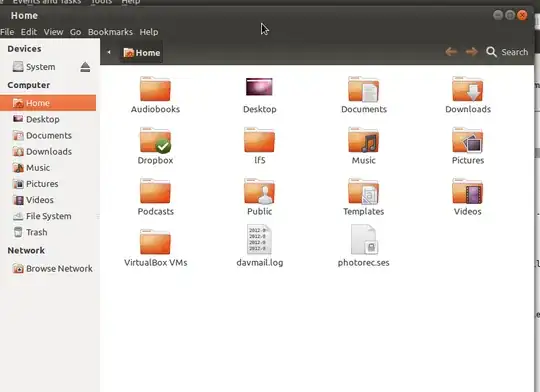
I tried Ubuntu Tweak and dconf-editor but nothing seemed to help. Perhaps if there is an extension for the same, please share if you happen to know this or any other workaround.
Asked
Active
Viewed 2.9k times
16
-
I notice that this post is tagged "cinnamon." I am not familiar with this desktop environment. I suggest that having the open/close/maximize buttons on the left is part of the cinnamon way of doing things. – grahammechanical Jan 30 '12 at 13:40
6 Answers
28
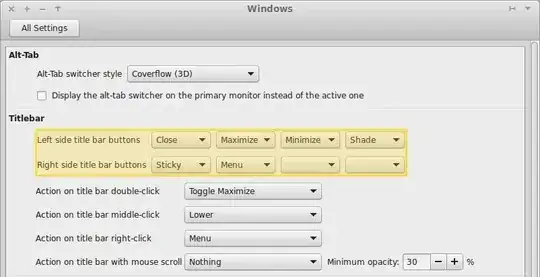
Cinnamon Settings -> Window -> Left Sided Title Bar buttons.
- Right click the panel -> Troubleshoot -> Restart Cinnamon
- Open a terminal and type
cinnamon --replace &
(No need for gconf-editor!!!)
zwets
- 12,790
Maimon Mons
- 281
10
I am guessing it has retained the same gconf settings as gnome-shell since it is just a fork of gnome-shell.
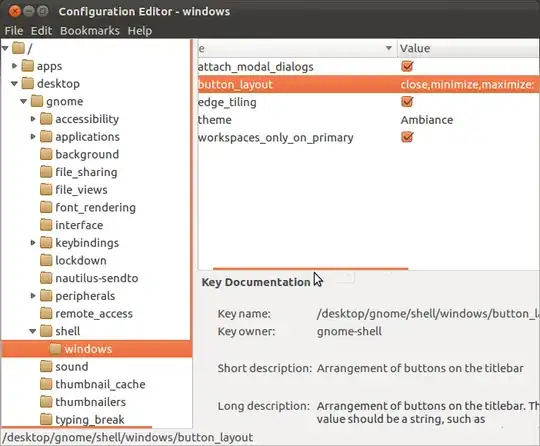
So, you can change the window control buttons layout using gconf-editor 
After installing it, press Alt+F2 and enter gconf-editor.
Then, move to Desktop -> gnome -> shell -> windows, and double click on the entry and enter these for button_layout: close,minimize,maximize:.
All that matters is the position of the :.
-
1This worked for me, on Linux Mint 13, BUT: I had to restart cinnamon. Run "sudo killall cinnamon && cinnamon --replace &" to restart cinnamon – JDS Aug 22 '12 at 16:50
-
1
-
A solution that doesn't include commands is preferable (see Maimon Mons answer) – hytromo May 13 '13 at 11:24
8
UPDATE FOR 12.10
The other answers didn't work for me in 12.10, so here is how I did it.
There are actually two ways of doing this.
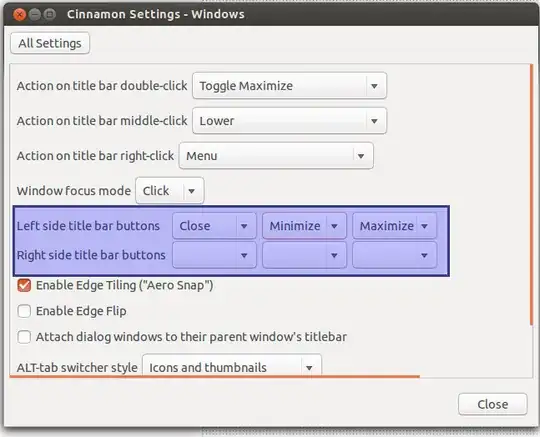
- Open "Cinnamon Settings" and click 'Windows'. Here you can change the buttons in the title bar and which side they are on.
You can also use
dconf-editor. First installdconfusingsudo apt-get install dconf-tools
Open dconf-editor and navigate to:
org --> cinnamon --> overrides
Rearrange the value of button-layout from:
:minimize,maximize,close
to
close,minimize,maximize:
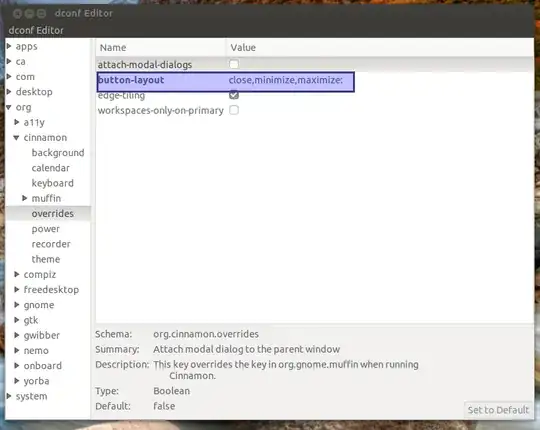
This will move the title buttons from the right side to the left in Cinnamon 1.6.7 and Ubuntu 12.10.
-
1Thanks, using dconf-editor, I was able to add a 'stick' button so I could toggle sticky windows (always on visible workspace). Currently not implemented in Cinnamon Settings. – d_rail Sep 10 '13 at 21:03
0
It's in each theme itself. For instance go to usr/themes/Ambiance open the document Ambiance as administrator. At the bottom of the document you'll see this ButtonLayout=close,minimize,maximize:
move the colon to the front of close like this ButtonLayout=:close,minimize,maximize
-
Its already set to :close,minimize,maximize but still it is showing on the right hand site. – subeh.sharma Jan 30 '12 at 13:47
0
this one still works.
press alt+f2, go to Apps-metacity-general, edit the "button layout" into this "close,minimize,maximize:"
it will change right away
dsaint
- 774