Einleitung
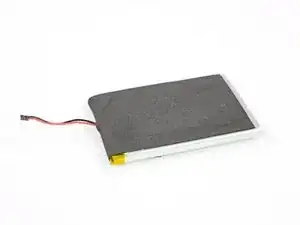
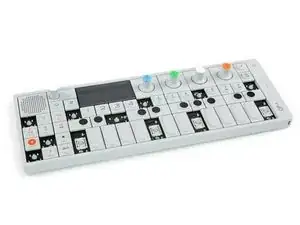
Wenn du mit deinem OP-1 nicht mehr Gassi gehen kannst, muss der Akku getauscht werden.
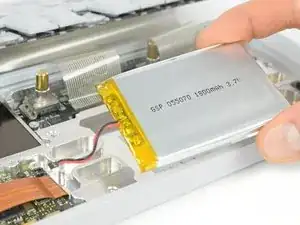
ES handelt sich um einen 1800 mAh Lithium-Polymer Akku mit 3,7 V (also einer Kapazität von 6660 mWh)


Ersatzteile

-
-
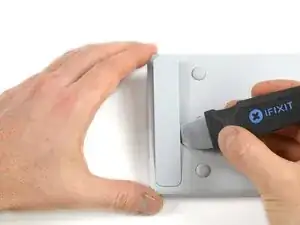
Setze einen Jimmy an der Seite des Deckels auf der Rückseite ein und heble ihn auf.
-
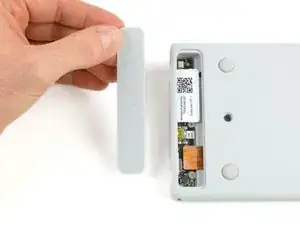
Hebe den Deckel hoch und entferne ihn. Die Anschlussplatine wird sichtbar.
-
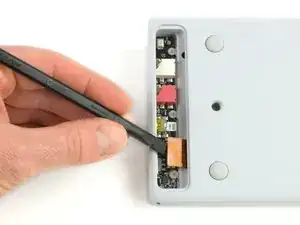
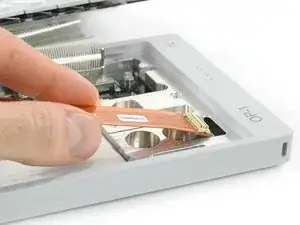
Heble den Stecker am Flachbandkabel hoch und trenne ihn ab.
-
-
-
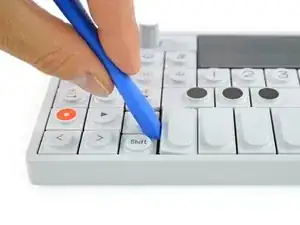
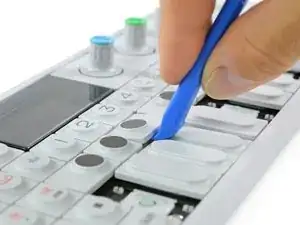
Die vier länglichen Tasten der Klaviatur kannst du von links her lösen.
-
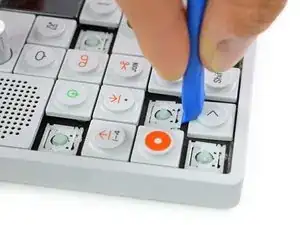
Die acht kleineren Tasten löst du von unten.
-
-
-
Der Scherenmechanismus der acht kleinen Tasten blockiert die darunter liegenden Schrauben.
-
Wieder mit einem Opening Tool oder einem Opening Pick kannst du diese einfach herausheben.
-
-
-
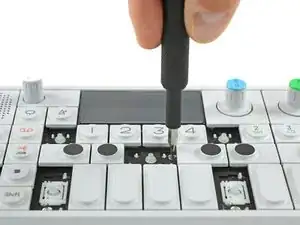
Löse die zwölf Schrauben mit einem Phillips #00 Schraubendreher.
-
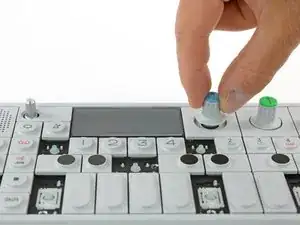
Dann ziehe einfach die vier Drehknöpfe und den Lautstärkeregler ab.
-
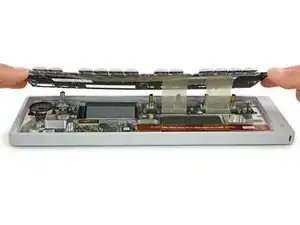
Jetzt kannst du das Keyboard leicht anheben und versetzt nach hinten ablegen.
-
-
-
Löse das Anschlusskabel von der Anschlussplatine und biege es vorsichtig zur Seite.
-
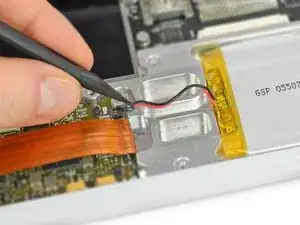
Trenne den Akku mit einem Spudger ab. Dazu muss der Stecker hochgehoben werden, er darf nicht zur Seite hin gezogen werden.
-
Arbeite die Schritte in umgekehrter Reihenfolge ab, um dein Gerät wieder zusammenzubauen.

41 Kommentare
This is great. What type of battery is the replacement?? thanks!
Hi, thanks for the question. I added another picture and put some information in the introduction.
hey, thanks for this! is the battery plug simple JST or do I need to get something specific?
lfsaw -
Yes, a simple JST plug (probably type ACH)
Thanks for posting these instructions! I'm having trouble finding a battery that matches the one in the picture (unless I want to buy 1000 of them from Alibaba). Would this work?
http://www.ebay.com/itm/3-7V-1800mAh-Rec...
Dimensions are:
thick:3mm
wide:60mm
length:70mm
Hi Clarke, the number on the battery tells the dimensions: 055070 = 5×50×70 mm (including the yellow electronics part)
I believe the instructions here are sub-optimal - removal of the connector panel in this way will almost certainly damage the paint on the OP1 due to the tight fit of the connector cover board against the chassis.
There are two better methods to remove the cover:
- If you have a spare cover (as included, for example, with the iFixit connector board part), carefully screw a self tapping screw into the cover, then use a pair of pliers on the screw to remove the cover.
- Remove the keyboard as per the iFixit guide below. Once the keyboard is removed, there is a small hole at a 45 degree angle that allows you to access the underside of the connector board cover whilst avoiding the connector board itself. You can see it at the top of the photo above to the right of the connector board.. Use a small object, such as the handle of a small paintbrush, to push out the connector cover from the keyboard side. This will result in clean removal of the connector board cover and allow it to be reused.
lee -