Einleitung
Es ist wichtig, das Navi deines Autos immer aktuell zu halten, damit du schnell und effizient dein Ziel erreichst. Das Mitsubishi MMCS NR-242 ist ein beliebtes Navigationsgerät, das von vielen Fahrern weltweit genutzt wird. Wenn du eines dieser Geräte besitzt, möchtest du vielleicht die Karten aktualisieren, um immer auf dem neuesten Stand der Straßen, Autobahnen und Points of Interest zu sein. In dieser Anleitung zeigen wir dir Schritt für Schritt, wie du die Karten deines Mitsubishi MMCS NR-242 aktualisierst, damit du immer auf dem richtigen Weg bist, egal wo es hingeht. Egal, ob du eine lange Autofahrt planst oder nur Anweisungen zu einem neuen Ort brauchst, das Aktualisieren der Karten für dein MMCS NR-242 ist eine einfache und wichtige Aufgabe, die dir hilft, das Beste aus deinem Navigationssystem herauszuholen.
Hinweis
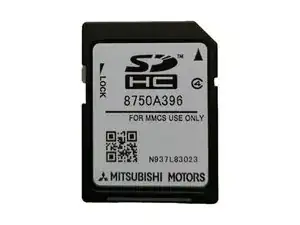
Beachte, dass die neue Karte mit dem Head Unit gekoppelt wird. Sie funktioniert nicht in einer anderen Einheit und kann nach dem ersten Einlesen und Erkennen durch das Gerät nicht mehr von einem Computer gelesen werden. Auf den Versionen W-11 und W-12 des MMCS ist es möglich, die Kartenkarte zu entkoppeln, aber auf allen anderen Versionen ist es fast unmöglich ohne spezielles Freischaltwerkzeug oder durch Löschen aller Daten auf der Karte.
Werkzeuge

Ersatzteile
-
-
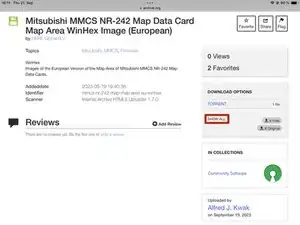
Klicke auf SHOW ALL.
-
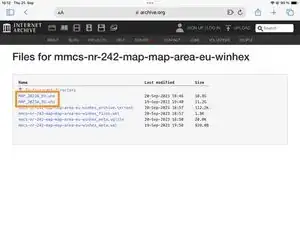
Lade die SYS_##_###.whx-Datei mit der Versionsnummer deines Geräts im Namen herunter.
-
-
-
Starte WinHex als Administrator.
-
Klicke mit der rechten Maustaste auf winhex.exe und wähle Als Administrator ausführen.
-
-
-
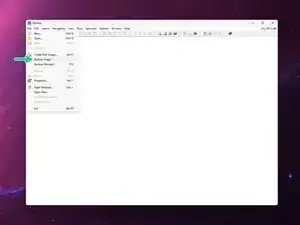
Wähle in WinHex File > Restore Image.
-
Wähle die MAP_20##A_##.whx-Datei, die du im dritten Schritt heruntergeladen hast, aus.
-
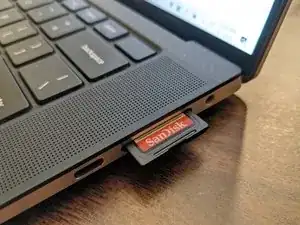
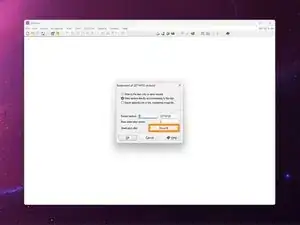
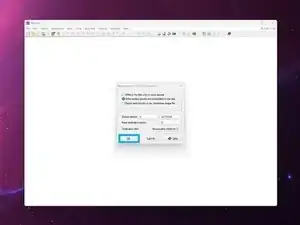
Wähle das Speichermedium (die SD-Karte) aus, die du flashen willst.
-
Bestätige mit OK.
-
-
-
Wiederhole den vorherigen Schritt mit der SYS_EU_###.whx-Datei für den Systembereich.
-
Schließe WinHex.
-
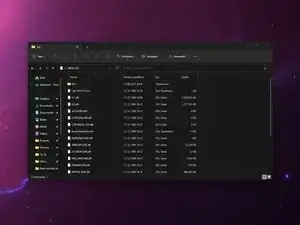
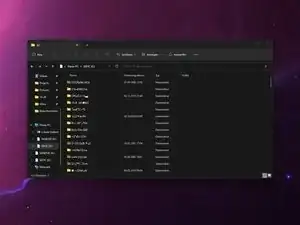
Werfe die SD-Karte sicher aus.
-
-
-
Tausche die SD-Karte gegen die bereits im MAP-Slot installierte aus.
-
Schließe das Display durch erneutes Drücken der OPEN-Taste.
-
Falls die Firmware auf der SD-Karte neuer ist als die bereits installierte Version, wird das Gerät fragen, ob du aktualisieren möchtest. Drücke auf dem Bildschirm die Update-Schaltfläche, um fortzufahren.
-
-
-
Rufe das Servicemenü auf, indem du die Tasten SETTINGS und MAP (für W-16 und W-17 INFO/SET und SEEK) 4 Sekunden lang gedrückt hältst.
-
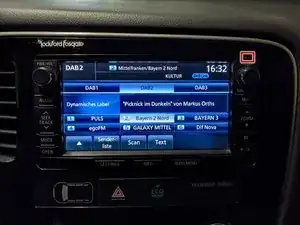
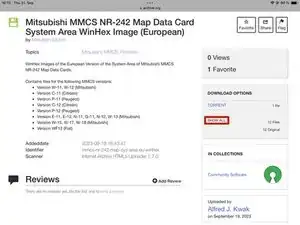
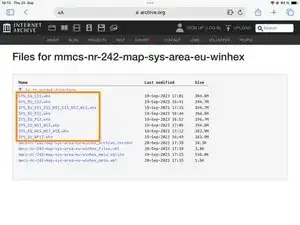
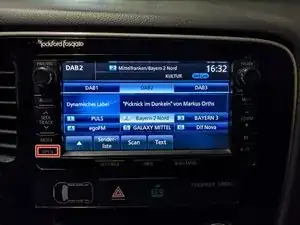
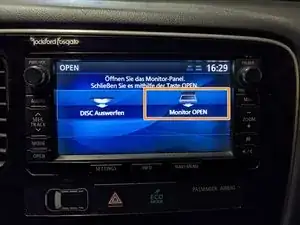
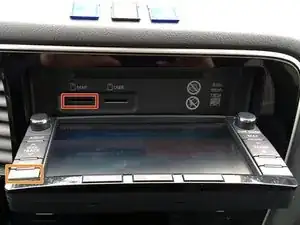
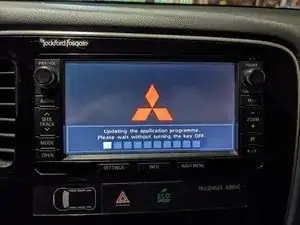
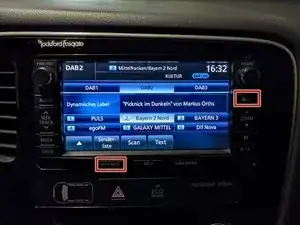
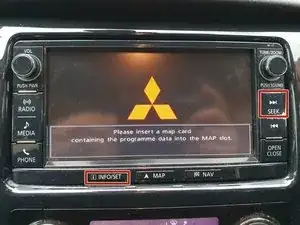
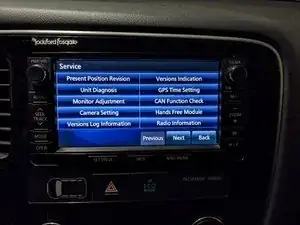
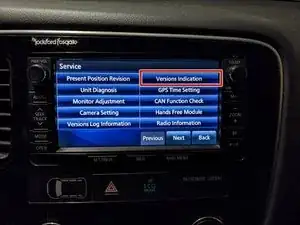
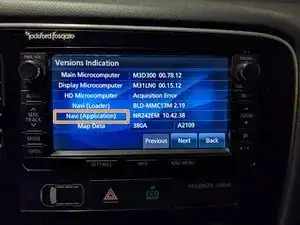
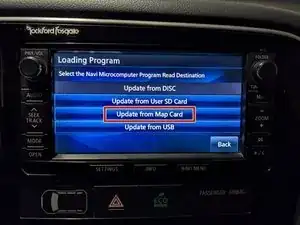
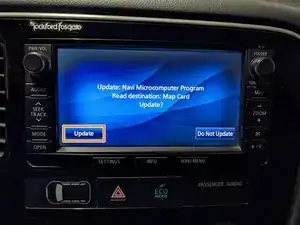
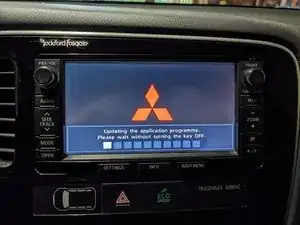
Bewahre die alte SD-Karte als Backup auf, falls mit der neuen Karte jemals etwas schief geht. Es ist immer gut, eine Sicherungskopie zu haben.

37 Kommentare
THANKS ,
for your support
yes I did step 5 and 6 but I was not on the physical media
it was my mistake
after that you had to do step 7 format in NFTS
on the other hand in NFTS format of the SD16GB card has less than 15,718,400,000
thanks I have to give it a try in the car
Ps, being French I made an error in the email received from support
I accidentally unsubscribed from sending emails
how can I reactivate it
jolilo -
Thank you updated card
in my 2023-A vehicle
Sincerely
jolilo -
after inserting the card it just pops up for a second that update and then it says error about the card and it's data. any idea how to fix this?
Mike -
Continuing from step 12 onwards could help. If that doesn't work you can also try [Ungültiger Anleitungslink].
yes but the problem is exactly from step 12 forward, I can put the card in and star the actions etc. but on step 14 trying to finish the update it just gives error about the data and it will not continue, all I can do is change back the original SD (which has maps from 2014) and that will still work... so any idea what might be the cause?
Mike -
Seems like the link didn’t work, you should try updating the firmware first. If that doesn’t work you can try a different SD card. It can be a bit picky at times…
If all that doesn’t work, try doing a hard reset. You can do a hard reset of the infotainment system by disconnecting the car's battery and reconnecting it after 15 minutes.
Hi!! this maps are correct for the w-15 version?
Thanks!!!
Luismi mg -
The maps are version agnostic. You only need to pick the correct system area for your version.
Alfred Kwak -
ok.
Now the problem is find license to hexwin :(.
For the next step i need to full version and I don´t have the license
Luismi mg -
pleeeesssee!!!! ;)
Luismi mg -
Here you have the IMG disk image for version W-15.
You can just use balena etcher or something to flash it.
Alfred Kwak -
bjr,
Fiat fullback 2016, WF11.
Où pourrais-je trouver une mise à jour , carte des antilles (je suis sur la Martinique).
Merci de votre aide.
Emilien RADAFY -
Hello, I would like to know if this procedure also applies to C-12 MMCDs? Sincerely,
Xavier (TUBA) -